Digital Safety: How to Protect Children Online from Exploitation
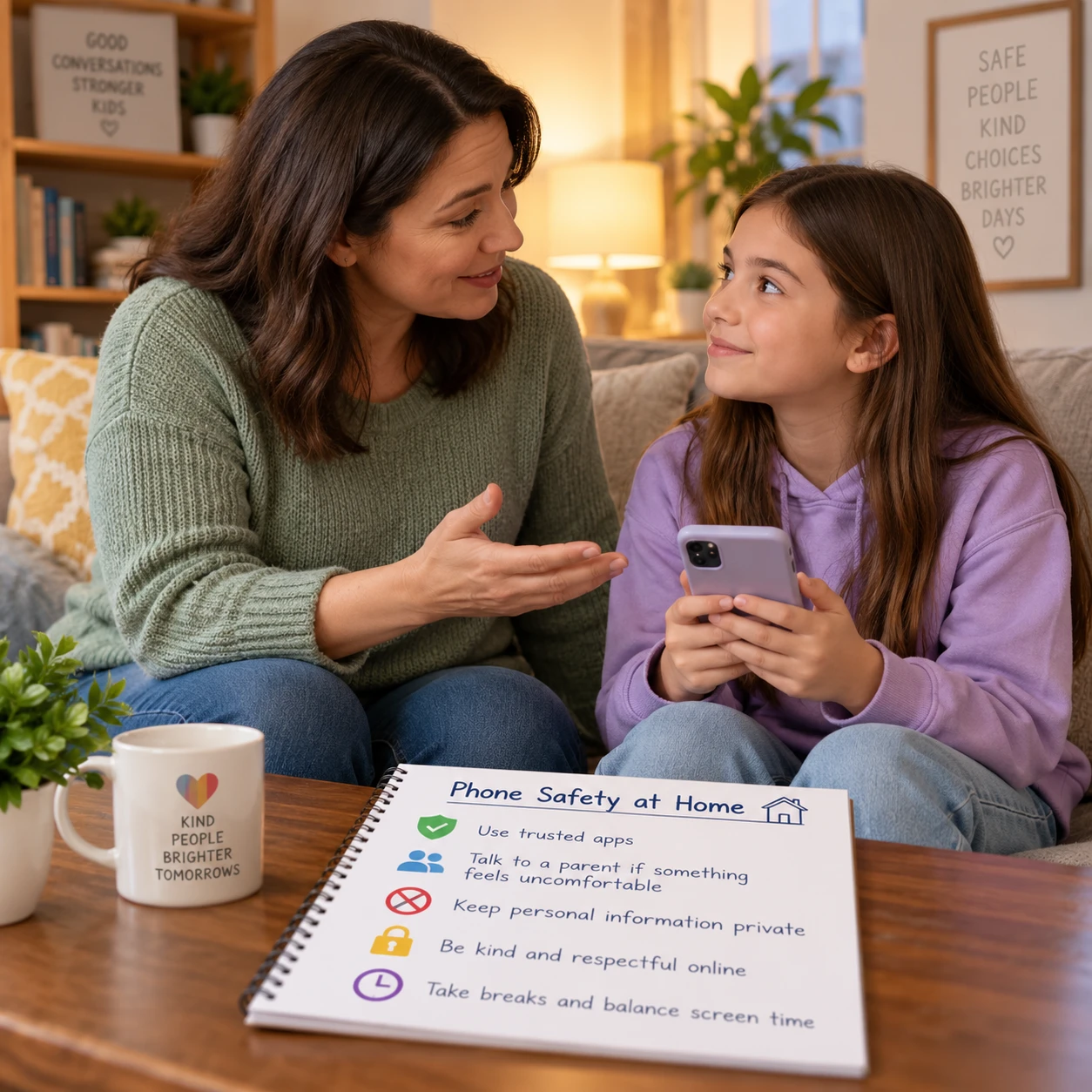
Children use online games, messaging apps, social platforms, and video services to learn and connect. These spaces can also expose them to people who try to manipulate, pressure, or exploit them. Digital safety starts with practical safeguards, but it also depends on children knowing they can ask a trusted adult for help without being blamed.
What online exploitation can look like
Online exploitation can involve someone using digital contact to manipulate, threaten, or harm a child. It may begin in a direct message, game chat, livestream, or other online space and can happen even when a child’s account appears private.
Online grooming is a process in which someone builds a connection with a child to gain trust and influence their choices. A person may offer attention, gifts, or compliments, ask the child to keep a relationship secret, or gradually push against the child’s boundaries. The person may pretend to be a peer or use a false identity; a friendly tone alone cannot prove someone is safe.
Harmful contact can include requests for personal information, private conversations, or images. It can also involve pressure to move from a public game or group chat to private messages, threats to share something the child has sent, or attempts to arrange an in-person meeting. These are examples of child sexual exploitation risks, and responsibility lies with the person applying pressure or causing harm, never with the child.
Teach children that personal information includes more than a home address. A school name, regular location, live location, phone number, passwords, and identifying details in photos can all reveal information they may want to keep private.
Warning signs to notice
Possible warning signs include a sudden change in a child’s mood, online habits, or relationships, especially when several changes appear together. None of these signs proves exploitation, so respond with curiosity and care rather than accusation.
A child might become distressed after using a device, hide a particular conversation, receive gifts they cannot explain, or seem worried about someone they met online. Other changes could include withdrawing from friends, avoiding an app they previously enjoyed, or becoming unusually protective of a device. These behaviors can have many causes, including ordinary privacy needs or unrelated stress.
Try a calm, open question: “I’ve noticed you seem tense after using that chat. Is anything happening that you want help with?” Give the child time to answer. Avoid demanding to see every message as the first response, since that can make them feel they are in trouble and less willing to share.
Focus on patterns, not a single clue. Keep the conversation open and check in again. If a child describes threats, pressure, unwanted image requests, or fear of someone online, take it seriously and move toward safety and support.
Build digital safety through conversation
Regular, nonjudgmental conversations help children recognize unsafe contact and seek help sooner. Talk about digital boundaries before a problem arises, and make clear that a child can tell you about anything they see, send, or receive without losing your support.
Keep discussions age-appropriate and specific. With a younger child, explain that they should check with a trusted adult before sharing a photo or personal details. With an older child, talk through pressure in direct messages, image sharing, group chats, and what to do if someone asks for secrecy. Explain that they can stop replying, leave a chat, and ask for help even if they first agreed to talk or share something.
Agree on a short list of trusted adults a child can approach: for example, a parent or caregiver, another relative, a teacher, or a counselor. If the first adult is unavailable or does not listen, the child should try another. A useful reassurance is: “You won’t be in trouble for telling me. We’ll work out what to do together.”
Be honest about supervision. Checking in and using agreed device rules can help, but no setting or monitoring tool catches every risk. Explain what you review and why, and adjust boundaries as a child matures. Trust grows when safety rules are clear rather than sprung on a child after a problem.
Reduce risks with privacy and device settings
Privacy settings and contact controls can reduce unwanted access, though they cannot guarantee that a child will never encounter harmful content or contact. Review settings together and revisit them when an app changes, a new account is created, or a child’s needs change.
Start with the services a child uses most, including games and messaging apps. Where available, set accounts to private, limit who can send direct messages or chat invitations, and restrict contact from people the child does not know. Review friend and follower lists together, and show the child how to mute, block, and report an account.
- Personal information: Check profile details, usernames, photos, and posts for information that reveals a child’s identity, school, or routine.
- Location sharing: Turn off public or unnecessary location sharing, including location details added to photos or posts. Explain when sharing location with a caregiver is useful and who can see it.
- Image sharing: Discuss asking permission before sharing photos of others and the risks of sending intimate images. Make clear that if an image is requested or shared under pressure, the child can still ask for help.
- Age-appropriate supervision: Agree on device use, check-in routines, and what a caregiver may review. Use parental controls as one layer of support, not as a substitute for conversation.
Settings vary between services and can change over time. Look at each app’s current privacy and safety options rather than assuming one device-wide setting covers every account.
What to do if a child is targeted
If a child is targeted, prioritize their immediate safety, listen without blame, and get support. Reassure them that the person who pressured or exploited them is responsible for that behavior.
Let the child speak at their own pace. Thank them for telling you, avoid asking why they replied or shared something, and do not promise that everything will stay secret. You can explain that you may need to involve other trusted people to help keep them safe.
If it is safe and appropriate, preserve relevant information before blocking or reporting: note the platform, account name, dates, and what happened, and keep messages or screenshots only when doing so will not expose the child to further harm. Do not forward, repost, or circulate sexual images of a child. If an image is involved, seek advice from the appropriate child-protection or law-enforcement service about how to report it safely.
Use the platform’s reporting and blocking tools to report the account or content and stop further contact. A platform report may help address activity on that service, but it is not a substitute for emergency help or a report to authorities when a child may be in immediate danger. Contact local emergency services if there is an urgent threat or a planned in-person meeting that could put the child at risk. Otherwise, reach out to a local child-protection service, law enforcement, or a qualified child-support professional for guidance.
Make a safety plan together
A simple safety plan gives a child clear steps to take when a conversation or interaction feels uncomfortable. Make it together, keep it easy to remember, and emphasize that the child can ask for help at any point.
- Pause: Stop replying if someone asks for secrecy, personal details, images, or a move to a private chat that feels wrong.
- Leave: Close the chat, leave the game or group, and use mute or block tools if needed.
- Tell: Contact a trusted adult and share what happened. If that person is unavailable, tell another adult on the agreed list.
- Get help: Report the account or message with an adult’s support. If there is an immediate safety concern, contact emergency services.
Practice the plan using ordinary examples, such as an unknown person asking what school the child attends. The goal is not to make children suspicious of every interaction; it is to help them notice pressure and know they have options.
Frequently asked questions
What is online grooming?
Online grooming is when someone builds trust or influence with a child online to manipulate them or facilitate harm. It may involve flattery, gifts, secrecy, private messages, or pressure to share information or images. A child may not recognize the manipulation while it is happening, so listen without blame if they tell you about it.
What should I do if my child receives an inappropriate message?
Stay calm, reassure your child, and ask what they need to feel safe. If appropriate, preserve basic details such as the account name and date, then use the service’s reporting and blocking tools. If the message includes threats, image-based abuse, or plans to meet, seek guidance from local child-protection or law-enforcement services; contact emergency services if danger is immediate.
How can I talk to my child without making them afraid to tell me?
Use calm, open questions and make clear that they will not be blamed for someone else’s harmful behavior. Tell them they can come to you even if they have broken a family rule, replied to a message, or shared something they regret. Listen first, then decide together on the next safe step.
Should I save or report harmful messages?
Report harmful contact through the platform and consider preserving relevant details when it is safe. Do not share or forward sexual images of a child; ask an appropriate child-protection or law-enforcement service how to handle that material. If keeping evidence could expose the child to further harm, prioritize safety and seek professional guidance.